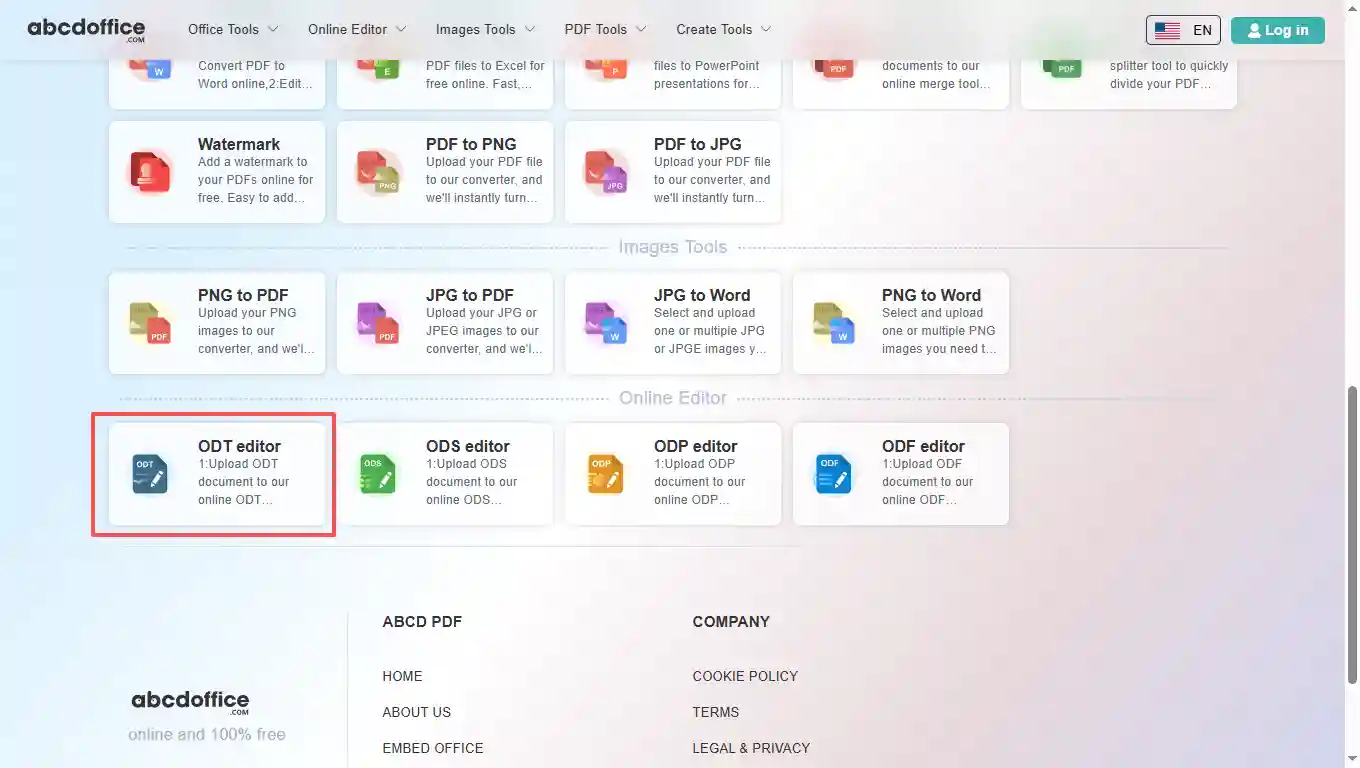
Open abcdoffice.com in your browser. On the homepage tools grid, click ODT editor under Online Editor or PDF Tools — or go directly to abcdoffice.com/odt-editor.html to open this online odt editor page.
ABCD Office is an odt editor online on abcdoffice.com — upload OpenDocument Text (.ODT) files, edit in your browser, then export without installing LibreOffice or Microsoft Word.
Upload and edit .ODT files. Legacy DOC documents use the same odt editor online workflow as modern DOCX on abcdoffice.com.
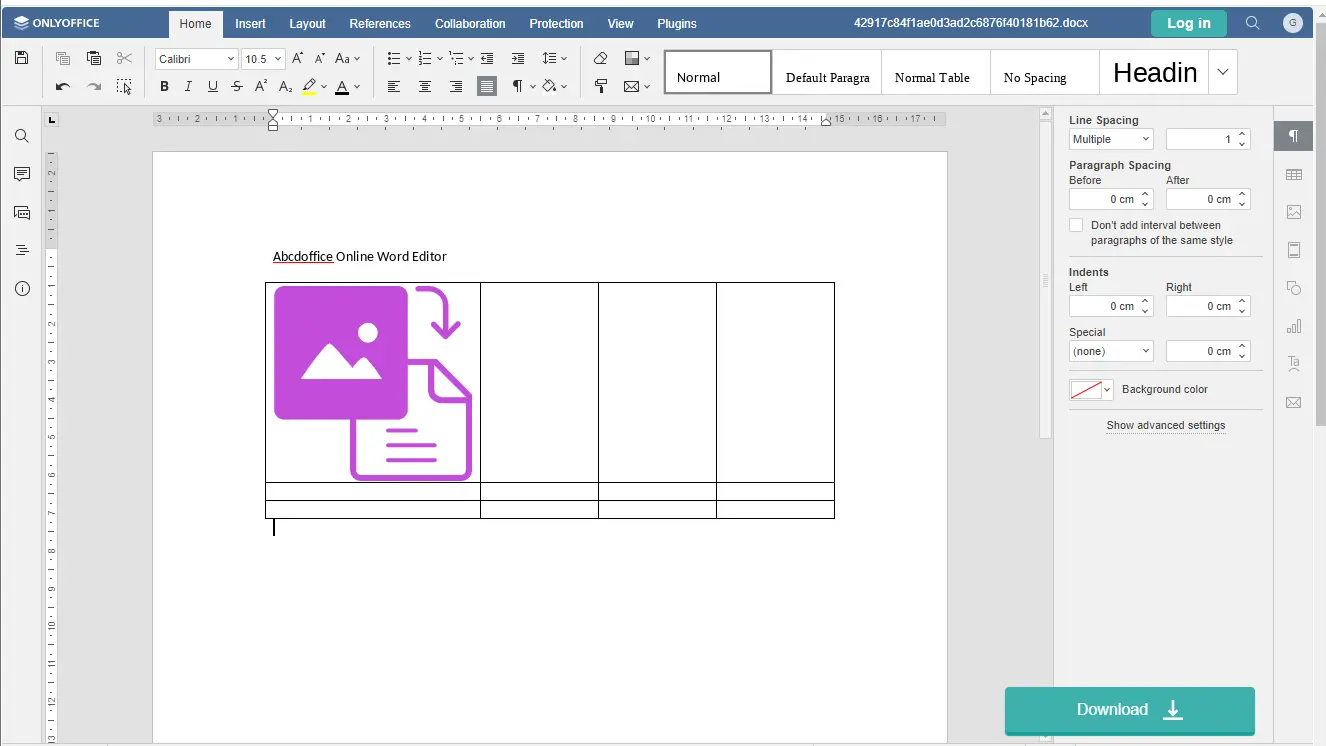
A true online odt editor — change text, tables, images, and formatting in the ribbon toolbar. The odt online editor opens automatically after upload completes.
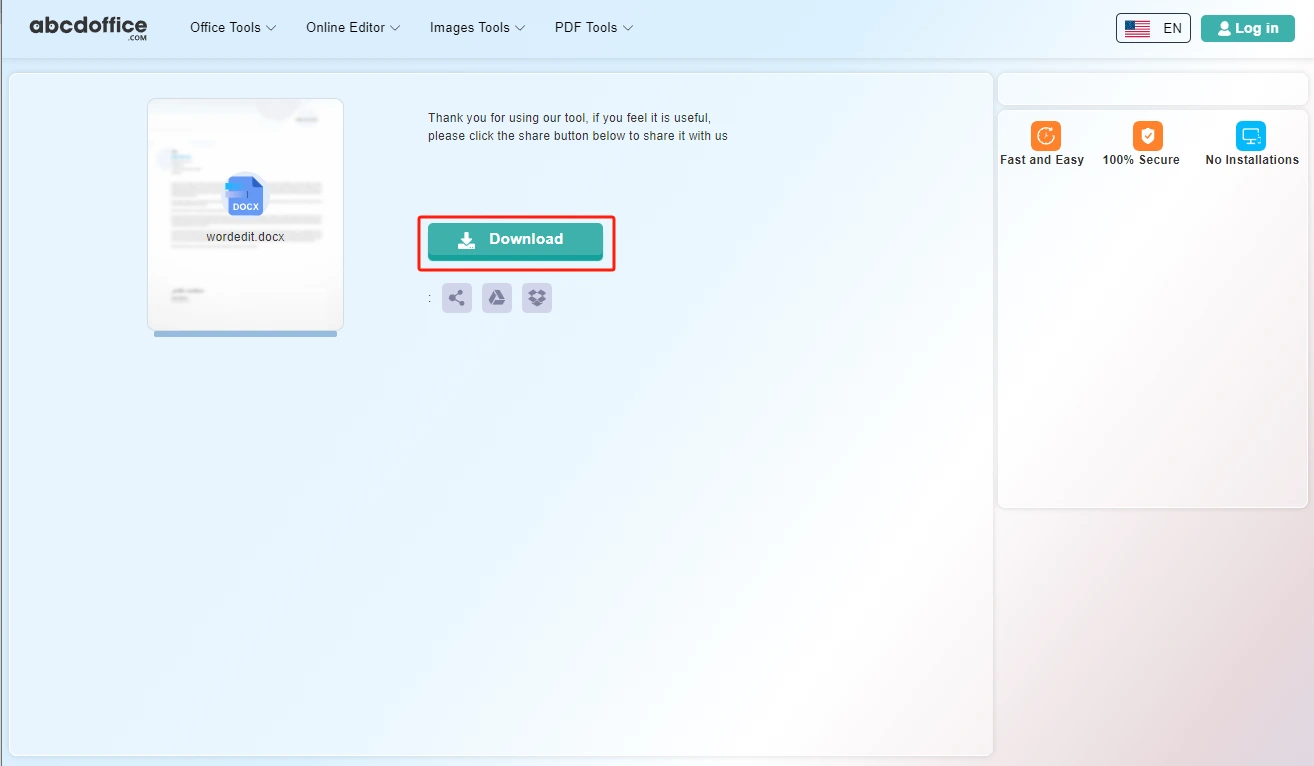
Click Download to save from the odt editor online free as DOCX, or export to PDF for sharing and printing.
Use this odt editor online free on desktop or mobile at abcdoffice.com. No Microsoft Office or Microsoft 365 subscription required for standard edits.
abcdoffice.com/odt-editor.html is the odt editor online page — upload ODT, edit in the browser, then download.
You received a contract, resume, or report as a ODT file and need a odt document editor to change text, fix formatting, or insert a table before sending it back.
Open abcdoffice.com in your browser. On the homepage tools grid, click ODT editor under Online Editor or PDF Tools — or go directly to abcdoffice.com/odt-editor.html to open this online odt editor page.
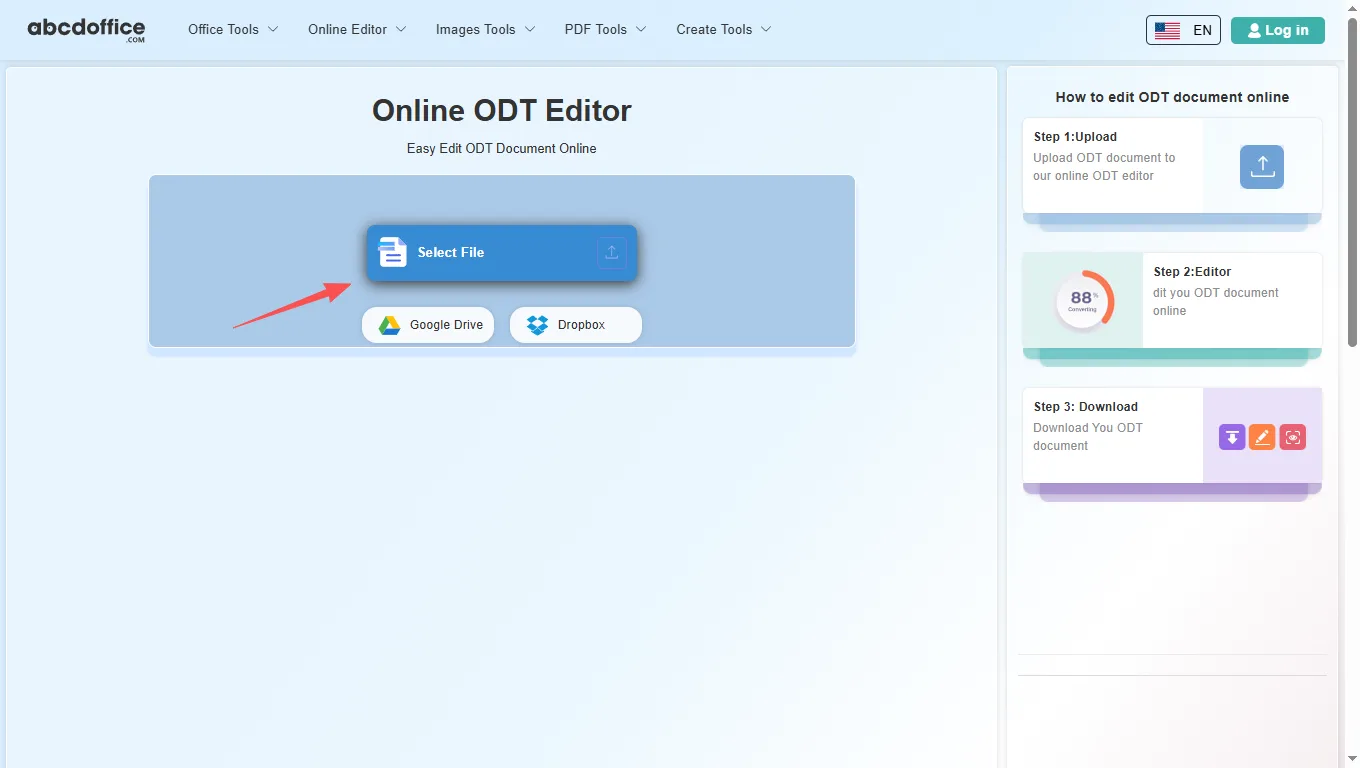
On the upload screen at abcdoffice.com/odt-editor.html, click Select File or drag ODT files into the upload area. Google Drive and Dropbox buttons appear below Select File on abcdoffice.com.
After upload and processing, the odt editor online opens in your browser on abcdoffice.com. Use the ribbon toolbar to change text, tables, images, and formatting.
When processing finishes, abcdoffice.com shows a download screen. Click Download to save ODT or PDF to your computer from this free online odt editor.
The ABCD Office odt editor online on abcdoffice.com is built on ONLYOFFICE Docs. After your ODT file opens, use the ribbon tabs — Home, Insert, Layout, References, Collaboration, Protection, View, and Plugins — for Writer-style editing in the browser.
The Home tab covers everyday text editing in our odt online editor — the same core formatting tools people reach for first in any odt document editor.
Insert tab tools in this odt document editor let you add structure and visuals beyond plain text — useful for reports, resumes, and client deliverables on abcdoffice.com.
Control page layout in the odt editor online before you export to DOCX or PDF — margins, paper size, and multi-column layouts.
Professional long-form documents need navigation and citations — the References tab handles tables of contents and linked notes.
Review contracts and team drafts in the odt editor online — add feedback, accept edits, and compare versions in the browser on abcdoffice.com.
Lock sensitive ODT files before download from abcdoffice.com — password protection and editing restrictions for shared documents.
Tune the editing workspace — zoom level, visible rulers, side panels, and light/dark interface themes.
Extend the odt editor online with plugins — OCR scanned pages, AI writing help, translation, and reference tools.
How an online odt editor works on abcdoffice.com, ODT vs DOCX, and when to choose it over LibreOffice desktop — for edit odt online and open document text editor searches.
An online odt editor runs in your web browser instead of on your desktop. On abcdoffice.com you upload a ODT file, the server prepares it for editing, and you work in a document canvas similar to Word for the web. When you are done, Download saves DOCX or PDF to your computer.
This odt editor online accepts modern ODT files and older DOC documents. After editing on abcdoffice.com, choose DOCX to keep working in Word later, or PDF when you need a fixed layout for email, print, or client delivery.
If you start from a PDF instead, use PDF to Word on abcdoffice.com first, then continue in the online odt editor to fix text and layout.
Students edit assignments on library computers. Freelancers update contracts from a client's DOCX attachment. Admins fix typos in policy documents without waiting for IT to install Office. The odt editor online free model on abcdoffice.com fits any quick open–edit–download task.
LibreOffice Writer and Microsoft 365 remain the standard for complex publishing, macros, tracked changes, and enterprise collaboration. ABCD Office targets the everyday majority: a free online odt editor that needs no install and finishes simple document jobs in minutes at abcdoffice.com.
Upload only what you need for the edit task on abcdoffice.com. Review our privacy policy before sending highly confidential files. This odt editor online is built for high-quality DOCX output — so you spend less time fighting software and more time finishing the document.

See how the ABCD Office odt editor online free workflow on abcdoffice.com compares to desktop Word on steps, install time, and time to first edit.
| Method | Typical steps | Install required | Time to edit |
|---|---|---|---|
| abcdoffice.com odt editor online | 3–4 steps | None | ~1 minute |
| LibreOffice Writer (desktop) | 5–7 steps | Yes | Several minutes |
| Word for the web (365 login) | 4–6 steps | Account required | 2–5 minutes |
Guides for edit odt file online, odt online editor, and odt editor online free — all paths start at abcdoffice.com/odt-editor.html.
Upload OpenDocument Text to abcdoffice.com/odt-editor.html without local LibreOffice.
Upload an ODT fileView and edit ODT attachments on Windows or Mac browsers too.
Upload an ODT fileAdjust headings and bibliography styles before you export PDF.
Upload an ODT fileDownload edited ODT from abcdoffice.com and share through your usual workflow.
Upload an ODT fileSave as PDF from the ODT editor when committee members prefer read-only files.
Upload an ODT fileEdit ODT here, download, or continue in word-editor.html if you need DOCX.
Upload an ODT fileAnswers about this odt editor online on abcdoffice.com — each question matches real searches, with steps that include abcdoffice.com/odt-editor.html.
abcdoffice.com/odt-editor.html is a free online odt editor for DOCX and DOC — upload, edit in the browser with a full odt document editor, and download without Microsoft Office installed.
The ABCD Office odt online editor runs entirely in your browser at abcdoffice.com — no desktop Word, no Microsoft 365 install required for standard editing tasks.
Yes — core upload, edit, and download on abcdoffice.com/odt-editor.html works as a odt editor online free without creating an account for standard document tasks.
The full odt document editor workflow on abcdoffice.com/odt-editor.html is upload → edit → Download — the same steps shown in the sidebar how-to panel.
Yes — the odt editor online on abcdoffice.com accepts both DOCX and legacy DOC uploads and opens them in the same browser editor.
LibreOffice Writer excels at advanced publishing, macros, and enterprise collaboration. The ABCD Office odt editor online free on abcdoffice.com targets quick edits — upload, change text, download — without install or subscription.
Files are processed for your edit session on abcdoffice.com. Review our privacy policy and your organization's rules before uploading confidential contracts or personal data to any odt editor online.
Yes — after editing on abcdoffice.com, click Download and select PDF to create a shareable, print-ready file from the odt editor online free.
Upload a ODT file at abcdoffice.com/odt-editor.html — the free online odt editor opens after upload, then Download when you are done.