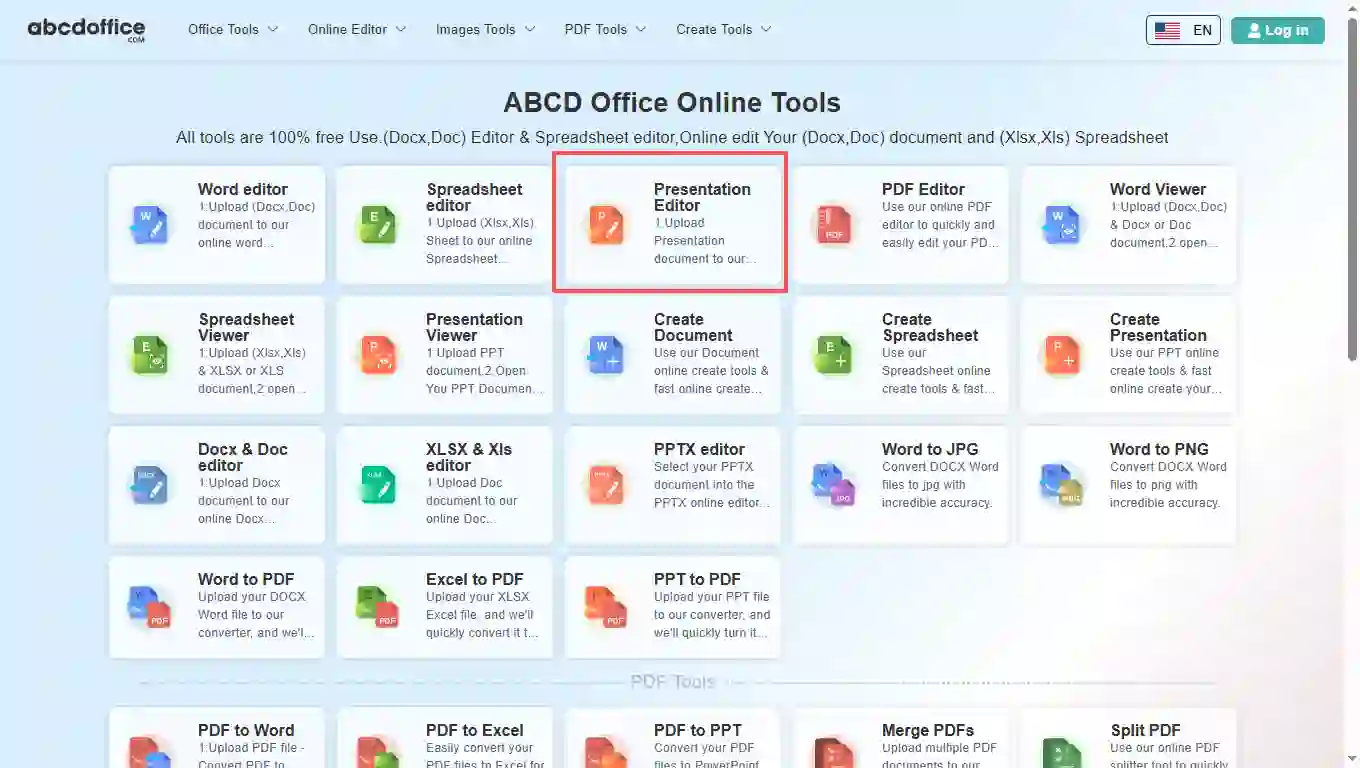
Open abcdoffice.com in your browser. On the homepage tools grid, click Presentation Editor under Online Editor or PDF Tools — or go directly to abcdoffice.com/ppt-editor.html to open this online ppt editor page.
ABCD Office is a pptx editor in your browser — open PPTX or PPT on abcdoffice.com, edit slides and text with a full ppt editor online, then export without installing Microsoft PowerPoint.
Upload and edit .PPTX and .PPT files. Legacy PPT presentations use the same ppt editor online workflow as modern PPTX on abcdoffice.com.
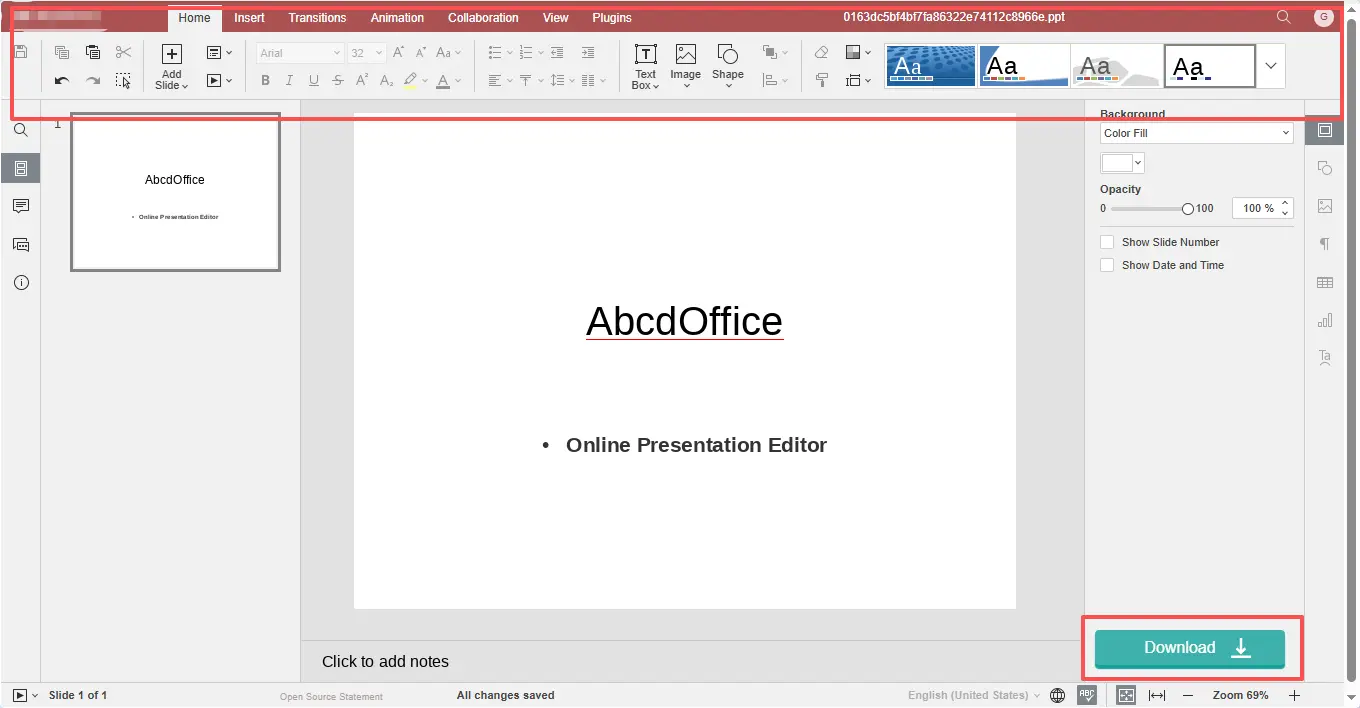
A true online ppt editor — change text, images, shapes, transitions, and animations in the ribbon toolbar. The presentation editor online opens automatically after upload completes.
Click Download to save from the pptx editor as PPTX, or export to PDF for sharing and printing.
Use this ppt editor online free on desktop or mobile at abcdoffice.com. No Microsoft Office or Microsoft 365 subscription required for standard slide edits.
abcdoffice.com/ppt-editor.html is the ppt editor online page — upload an existing PPTX or PPT file, edit in the browser, then download. No preview-only mode and no blank-deck create flow here.
You received a pitch deck, school project, or client slides as a PowerPoint file and need a pptx editor to update text, swap images, or fix layouts before presenting.
Open abcdoffice.com in your browser. On the homepage tools grid, click Presentation Editor under Online Editor or PDF Tools — or go directly to abcdoffice.com/ppt-editor.html to open this online ppt editor page.
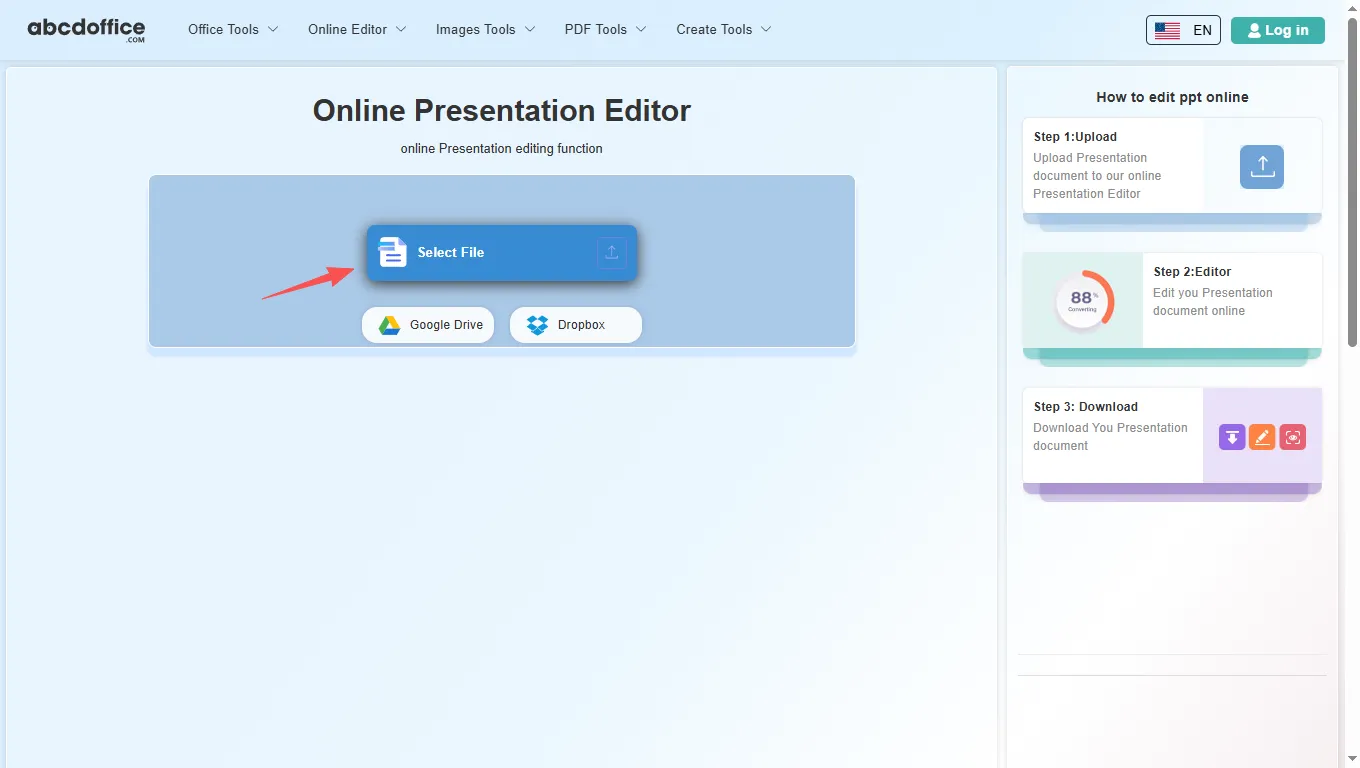
On the upload screen at abcdoffice.com/ppt-editor.html, click Select File or drag PPTX or PPT files into the upload area. Google Drive and Dropbox buttons appear below Select File on abcdoffice.com.
After upload and processing, the ppt online editor opens in your browser on abcdoffice.com. Use the ribbon toolbar to change text, tables, images, and formatting.
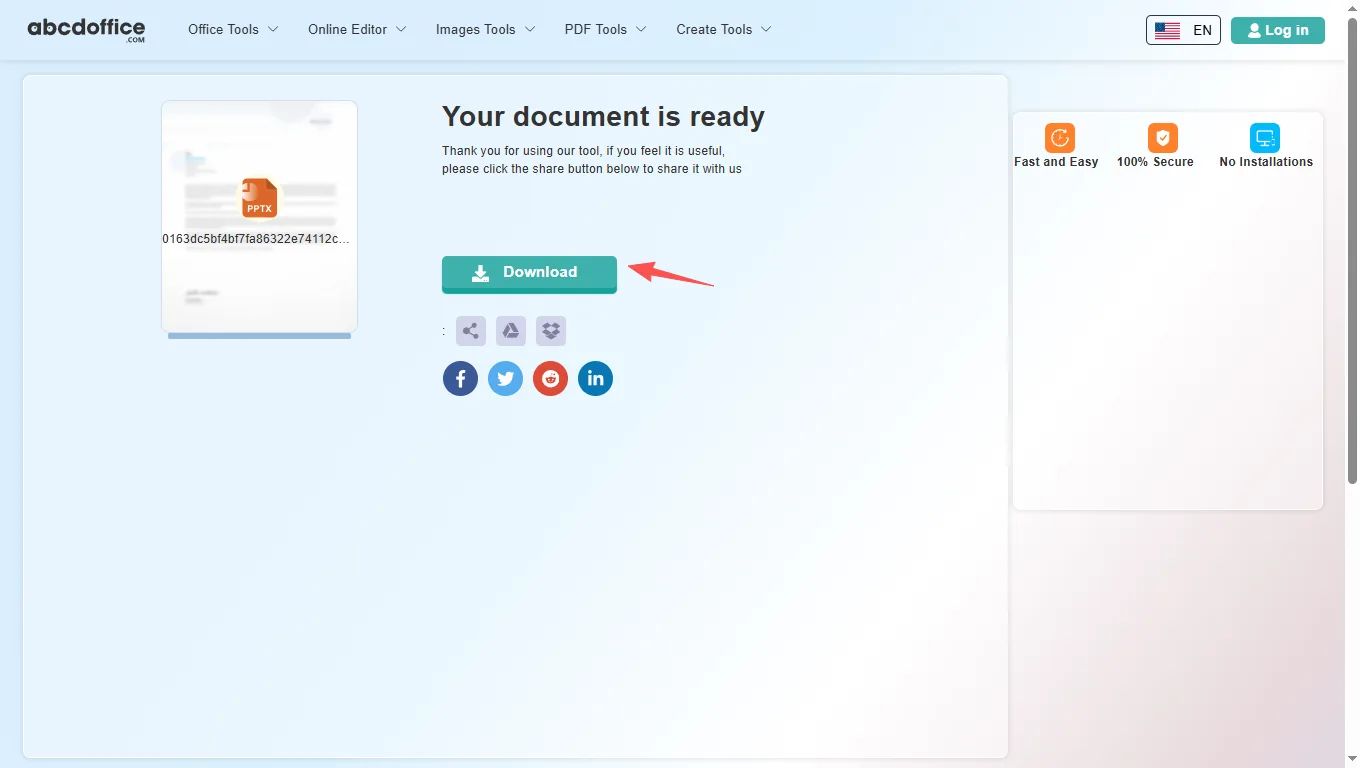
When processing finishes, abcdoffice.com shows a download screen. Click Download to save PPTX or PDF to your computer from this free online ppt editor.
The ABCD Office ppt editor online on abcdoffice.com is built on ONLYOFFICE Docs. After your file opens, use the ribbon tabs below — Home, Insert, Transitions, Animation, Collaboration, View, and Plugins — matching the tools shown when you edit pptx online.
The Home tab covers everyday slide editing in our ppt online editor — the same core formatting tools people reach for first in any presentation editor online.
Insert tab tools in this pptx editor let you add structure and visuals beyond plain text — useful for reports, pitches, and client deliverables on abcdoffice.com.
Apply professional slide transitions in the ppt editor online before you export to PPTX or PDF — fade, push, wipe, zoom, and more.
Animate text, shapes, and images on each slide in the online powerpoint editor — entrance effects with fine-tuned parameters.
Review team decks in the ppt editor online — co-edit, comment, and chat in the browser on abcdoffice.com.
Tune the presentation workspace — zoom level, rulers, gridlines, and panel visibility in the ppt online editor.
Extend the online ppt editor free with plugins — automation, AI help, translation, and media tools on abcdoffice.com.
How a ppt editor online works on abcdoffice.com, what files it supports, and when to choose it over Microsoft PowerPoint — written for searches like edit pptx online, pptx editor, and open pptx online.
An online ppt editor runs in your web browser instead of on your desktop. On abcdoffice.com you upload a presentation, the server prepares it for editing, and you work in a slide canvas similar to PowerPoint for the web. When you are done, Download saves PPTX or PDF to your computer.
This ppt editor online accepts modern PPTX files and older PPT presentations. After editing on abcdoffice.com, choose PPTX to keep working in PowerPoint later, or PDF when you need a fixed layout for email, print, or client delivery.
Need to open pptx online after converting from PDF? Use PDF to PPT on abcdoffice.com first, then continue in the online powerpoint editor to fix slides and layout.
Students edit class presentations on library computers. Freelancers update client pitch decks from email attachments. Teams fix typos in shared slides without waiting for IT to install Office. The ppt editor online free model on abcdoffice.com fits any quick open–edit–download task — including edit ppt file online and open ppt online workflows.
Microsoft PowerPoint and Microsoft 365 remain the standard for complex publishing, macros, and enterprise collaboration. ABCD Office targets the everyday majority: a free pptx editor online that needs no install and finishes simple presentation jobs in minutes at abcdoffice.com.
Upload only what you need for the edit task on abcdoffice.com. Review our privacy policy before sending highly confidential decks or personal data to any ppt editor online. This presentation editor online is built for high-quality PPTX output — so you spend less time fighting software and more time finishing the slides.

See how the ABCD Office ppt editor online free workflow on abcdoffice.com compares to desktop PowerPoint on steps, install time, and time to first edit.
| Method | Typical steps | Install required | Time to edit |
|---|---|---|---|
| abcdoffice.com ppt editor online | 3–4 steps | None | ~1 minute |
| Microsoft PowerPoint (desktop) | 5–7 steps | Yes | Several minutes |
| PowerPoint for the web (365 login) | 4–6 steps | Account required | 2–5 minutes |
Guides for edit pptx online, open pptx online, and ppt editor free — all paths start at abcdoffice.com/ppt-editor.html.
Upload PPTX to abcdoffice.com/ppt-editor.html and edit the headline minutes before you present.
Upload a presentation to editReplace an image on a team intro slide using Insert → Image in the ppt online editor.
Upload a presentation to editOpen Transitions and Animation tabs to adjust entrance effects without desktop PowerPoint.
Upload a presentation to editUpload .ppt files alongside PPTX and update bullet text for new policies or products.
Upload a presentation to editDownload PDF from ppt-editor.html so attendees get a non-editable handout.
Upload a presentation to editDownload from SharePoint, edit slide copy online, and upload the corrected PPTX back to the team folder.
Upload a presentation to editAnswers about this ppt editor online on abcdoffice.com — each question matches real searches, with steps that include abcdoffice.com/ppt-editor.html.
abcdoffice.com/ppt-editor.html is a free pptx editor for PPTX and PPT — upload, edit in the browser with a full ppt editor online, and download without Microsoft PowerPoint installed.
The ABCD Office ppt online editor runs entirely in your browser at abcdoffice.com — no desktop PowerPoint, no Microsoft 365 install required for standard editing tasks.
Yes — core upload, edit, and download on abcdoffice.com/ppt-editor.html works as a ppt editor online free without creating an account for standard presentation tasks.
The full edit pptx workflow on abcdoffice.com/ppt-editor.html is upload → edit → Download — the same steps shown in the sidebar how-to panel.
Yes — the pptx editor on abcdoffice.com accepts both PPTX and legacy PPT uploads and opens them in the same browser editor.
Microsoft PowerPoint excels at advanced publishing, macros, and enterprise collaboration. The ABCD Office ppt editor online free on abcdoffice.com targets quick edits — upload, change slides, download — without install or subscription.
Files are processed for your edit session on abcdoffice.com. Review our privacy policy and your organization's rules before uploading confidential pitch decks or personal data to any ppt editor online.
Yes — after editing on abcdoffice.com, click Download and select PDF to create a shareable, print-ready file from the ppt editor online free.
Upload a PPTX or PPT file at abcdoffice.com/ppt-editor.html — the free online ppt editor opens after upload, then Download when you are done.