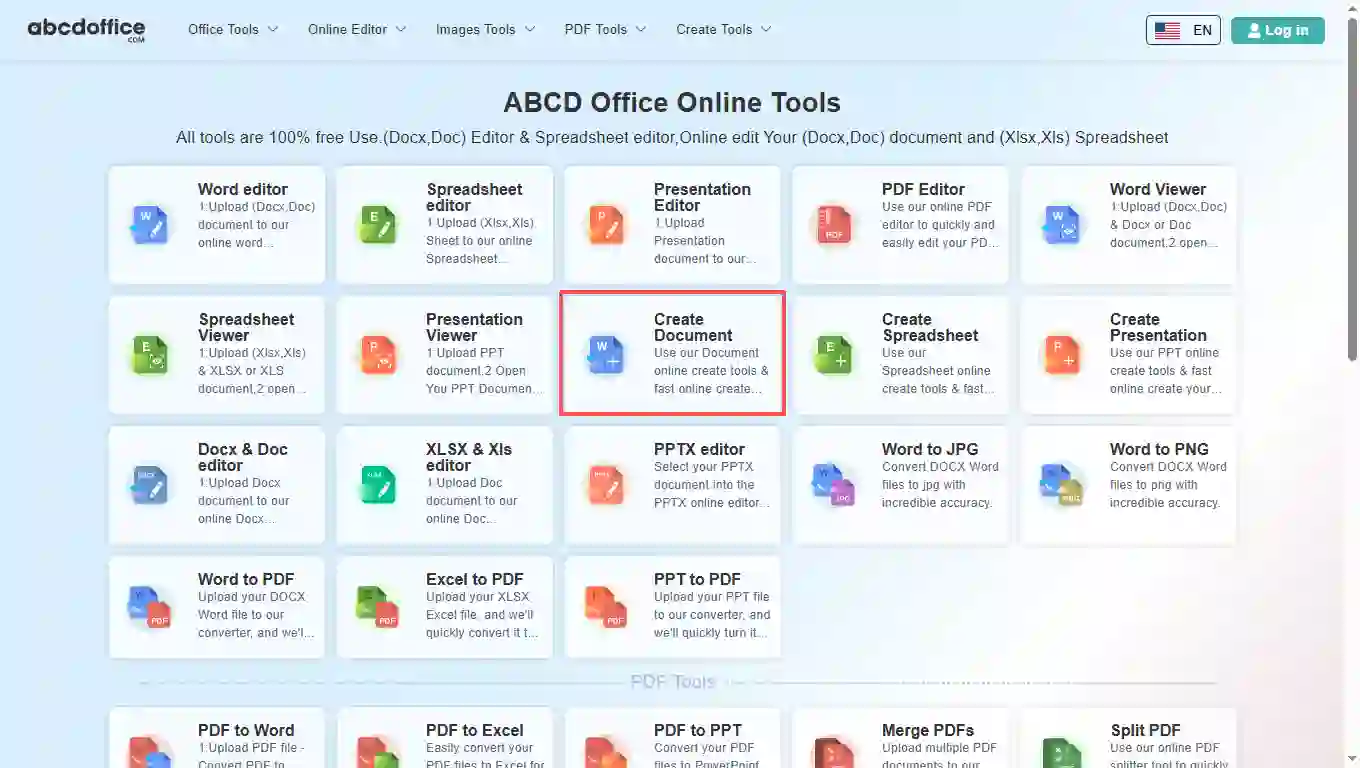
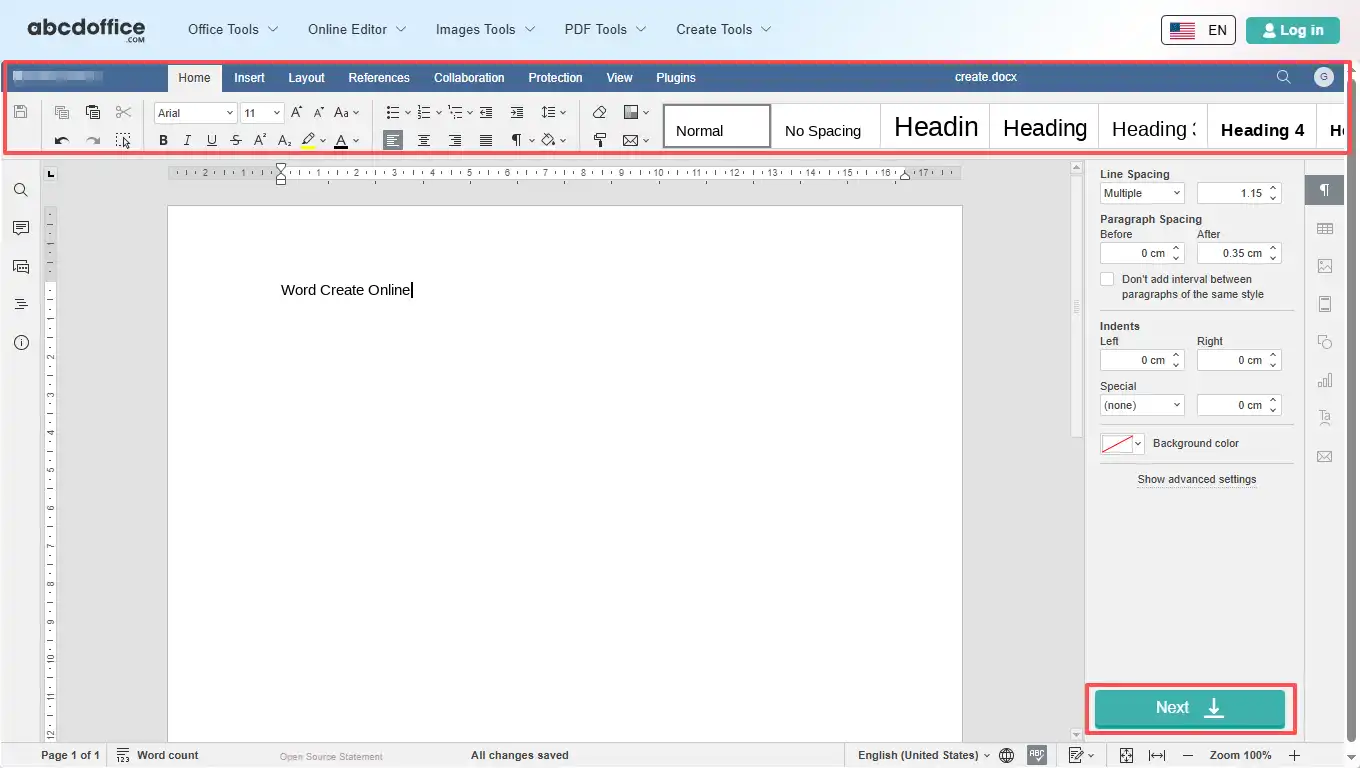
Open abcdoffice.com in your browser. On the homepage tools grid, click Create Document under Online Editor or PDF Tools — or go directly to abcdoffice.com/word-create.html to open this online document creator page.
ABCD Office lets you create document files in your browser — click Create File on abcdoffice.com/word-create.html, start a blank Word document, type and format with a full ribbon, then download DOCX or PDF without installing Microsoft Word.
Create a new document from scratch as DOCX — no upload required to begin. The create document online free flow opens an empty canvas ready for text, tables, and images on abcdoffice.com.
After creating a word document online, use Home, Insert, Layout, References, and the rest of the ribbon — the same editor experience as our word editor, tuned for new files.
Click Download to save create documents as DOCX for later edits, or export to PDF for sharing, homework, or client delivery.
Create a document online free on desktop or mobile at abcdoffice.com. No Microsoft Office or Microsoft 365 subscription required to create documents and download them.
abcdoffice.com/word-create.html is the page to create a document — click Create File, write in a blank Word file in the browser, then download. For editing an existing file, use word-editor.html instead.
You need to create a new document for homework, a letter, a resume draft, or meeting notes — but Microsoft Word is not installed and you want to create document files without waiting for IT.
Open abcdoffice.com in your browser. On the homepage tools grid, click Create Document under Online Editor or PDF Tools — or go directly to abcdoffice.com/word-create.html to open this online document creator page.
On abcdoffice.com/word-create.html, click Create to open a blank Word document in the word online editor on abcdoffice.com. Use the ribbon toolbar to add text, tables, images, and formatting, then click Save when you are ready to export.
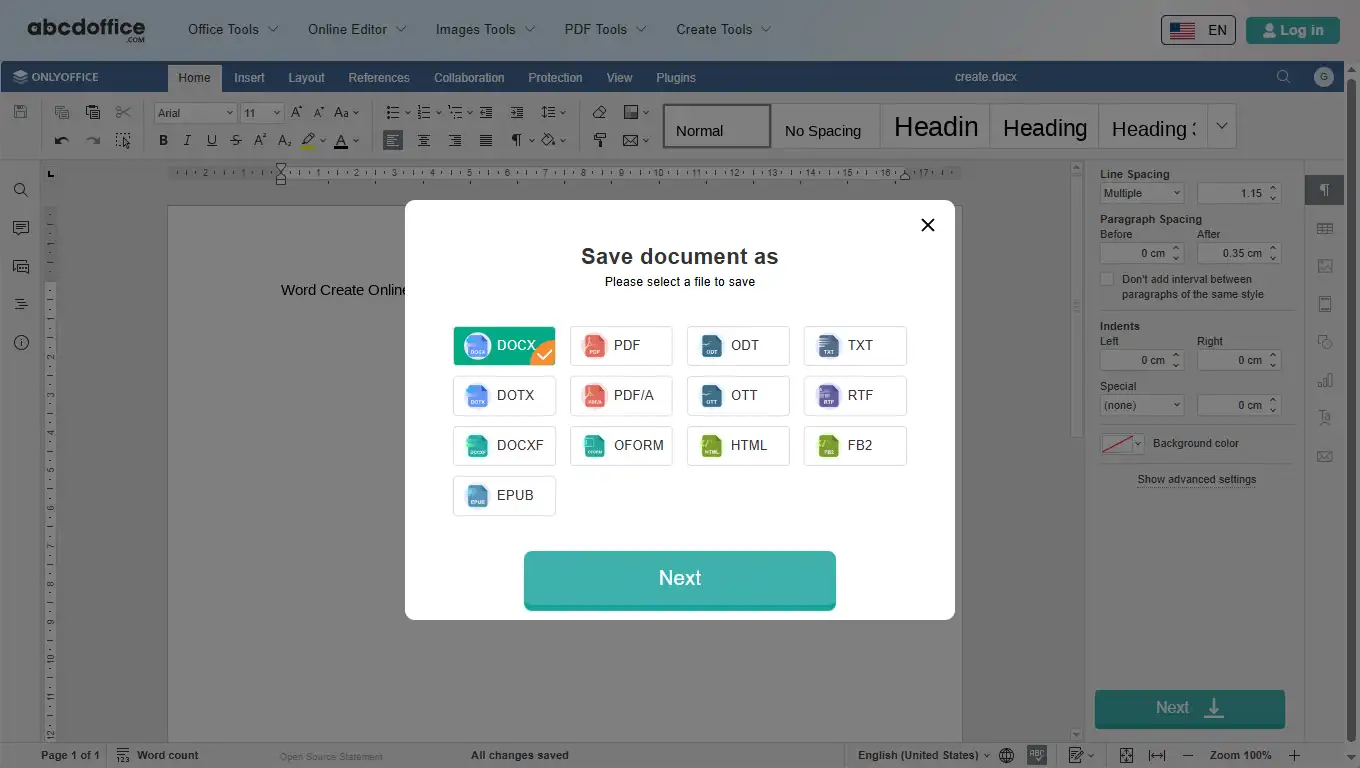
In the Save document as dialog on abcdoffice.com, select DOCX, PDF, DOTX, or another Word format, then click Next. abcdoffice.com prepares your Word document for download.
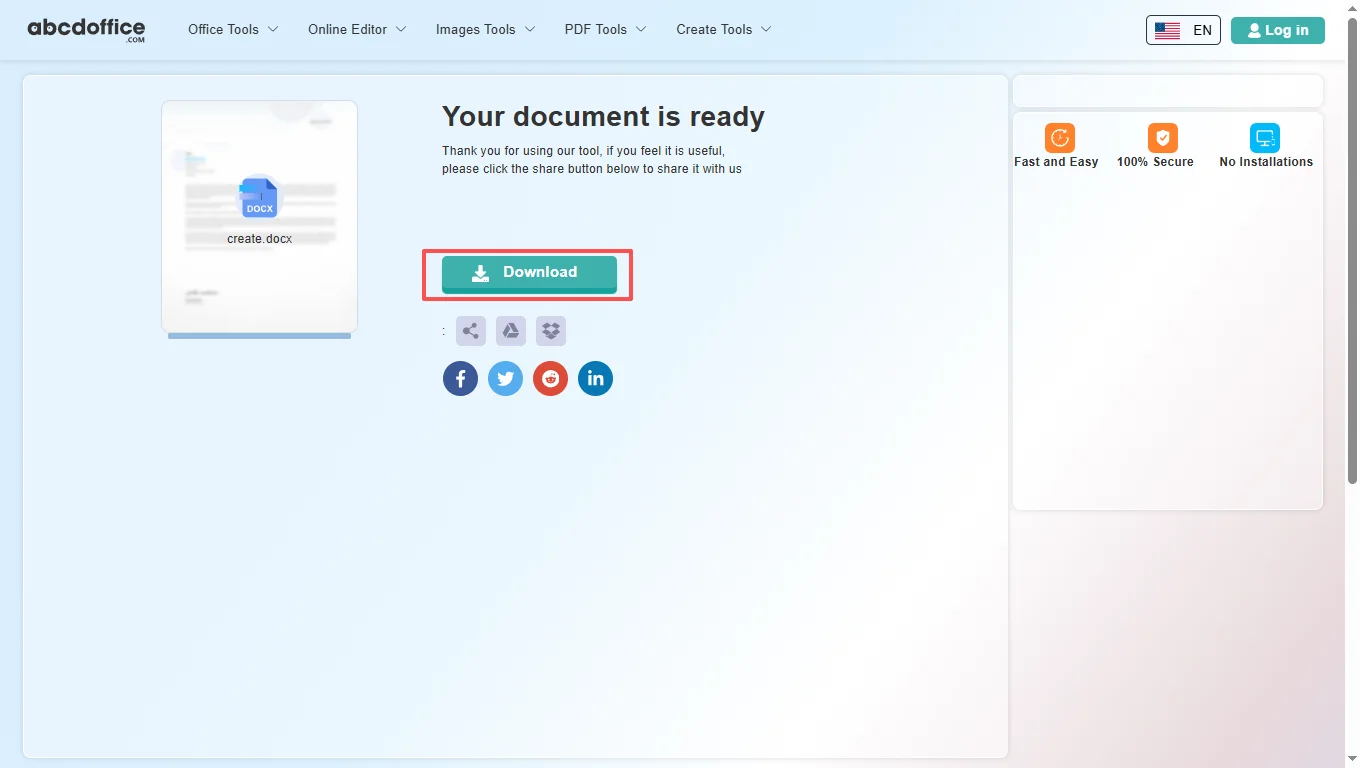
When processing finishes, abcdoffice.com shows a download screen. Click Download to save DOCX or PDF to your computer from this free online document creator.
After you create a document on abcdoffice.com, the ABCD Office editor (ONLYOFFICE Docs) shows the same ribbon as our word editor — Home, Insert, Layout, References, Collaboration, Protection, View, and Plugins — for formatting your new file.
The Home tab is where you start creating a word document — fonts, lists, alignment, and Quick Styles for headings and body text.
Build structure beyond plain text when you create a new document — tables, charts, headers, and images on abcdoffice.com.
Set page layout while creating a word document online — margins, paper size, columns, and watermarks before download.
Add tables of contents, footnotes, and captions when you create documents for reports or academic work.
Review team drafts after you create a document online — comments and track changes in the browser on abcdoffice.com.
Lock sensitive files before download from abcdoffice.com — password protection when you create documents for clients.
Tune the workspace while creating a word document — zoom, rulers, panels, and light/dark themes.
Extend the create document online free editor with plugins — OCR, AI writing help, translation, and reference tools.
How to create document files in the browser, when to use word-create.html vs word-editor.html, and how creating a word document online compares to Microsoft Word — for searches like create a document online free, create document, and create a new document.
Create a document online free means starting a blank file in your web browser instead of on your desktop. On abcdoffice.com you click Create File, the server opens an empty DOCX canvas, and you type and format like Word for the web. When you are done, Download saves DOCX or PDF to your computer.
Use abcdoffice.com/word-create.html when you need to create a new document from scratch. Use abcdoffice.com/word-editor.html when you already have a DOCX or DOC file to upload and change. Both share the same editor; only the starting point differs.
If you start from a PDF, convert with PDF to Word on abcdoffice.com first, then continue in the word editor to fix layout — or create a fresh document on word-create.html when a blank file is faster.
Students create documents for assignments on library PCs. Job seekers draft resumes without Office installed. Small teams spin up meeting notes or one-page proposals in minutes. The create a document online free model on abcdoffice.com fits any task where you need a new file today, not a complex desktop publishing workflow.
Microsoft Word and Microsoft 365 remain the standard for advanced templates, macros, and enterprise collaboration. ABCD Office targets users who need to create documents quickly in the browser — create a new document, type, download — without install or subscription at abcdoffice.com.
Create only what you need for the task on abcdoffice.com. Review our privacy policy before storing highly confidential content in any cloud editor. This create document online free tool outputs standard DOCX files you can open in Word later.

See how the ABCD Office create document workflow on abcdoffice.com/word-create.html compares to desktop Word for blank files — steps, install time, and time to first paragraph.
| Method | Typical steps | Install required | Time to start writing |
|---|---|---|---|
| abcdoffice.com word-create.html | 3–4 steps | None | ~1 minute |
| Microsoft Word (desktop) | 5–7 steps | Yes | Several minutes |
| Word for the web (365 login) | 4–6 steps | Account required | 2–5 minutes |
Guides for create a document online free, create document, creating a word document, and create a new document — all paths start at abcdoffice.com/word-create.html.
On abcdoffice.com/word-create.html click Create, type agenda and action items, then save DOCX.
Create a new documentUse the new document flow to write cover letters when Word is not installed on the PC.
Create a new documentCreate a fresh DOCX, use headings and lists, and download for CMS paste or editor handoff.
Create a new documentAfter writing, use Save document as to pick DOCX for further edits or PDF for posting.
Create a new documentCreate Document opens a blank page — add sections for experience and education without a template file.
Create a new documentDownload the file you created online and attach it to email or upload to Drive.
Create a new documentAnswers about create a document online free on abcdoffice.com — each question matches real searches, with steps that include abcdoffice.com/word-create.html.
abcdoffice.com/word-create.html lets you create a document online free — click Create File, write in a blank Word document in the browser, and download without Microsoft Office installed.
The ABCD Office create document tool runs in your browser at abcdoffice.com — no desktop Word, no Microsoft 365 install required to create a new document and download it.
Yes — core Create File, edit, and download on abcdoffice.com/word-create.html works as create a document online free without creating an account for standard new-document tasks.
The full create documents workflow on abcdoffice.com/word-create.html is Create File → write → Download — the same steps shown in the sidebar how-to panel.
word-create.html starts a blank file when you need to create a document. word-editor.html uploads an existing DOCX or DOC when you need to edit — both use the same editor after the file opens.
Microsoft Word excels at advanced publishing, macros, and enterprise collaboration. ABCD Office on abcdoffice.com/word-create.html targets quick blank documents — create, type, download — without install or subscription.
Files are processed for your editing session on abcdoffice.com. Review our privacy policy and your organization's rules before storing highly confidential content in any create document online free tool.
Yes — after creating a word document on abcdoffice.com, click Download and select PDF for a shareable, print-ready file.
Click Create File at abcdoffice.com/word-create.html — create a document online free in the browser, then Download when you are done.